Number 11.
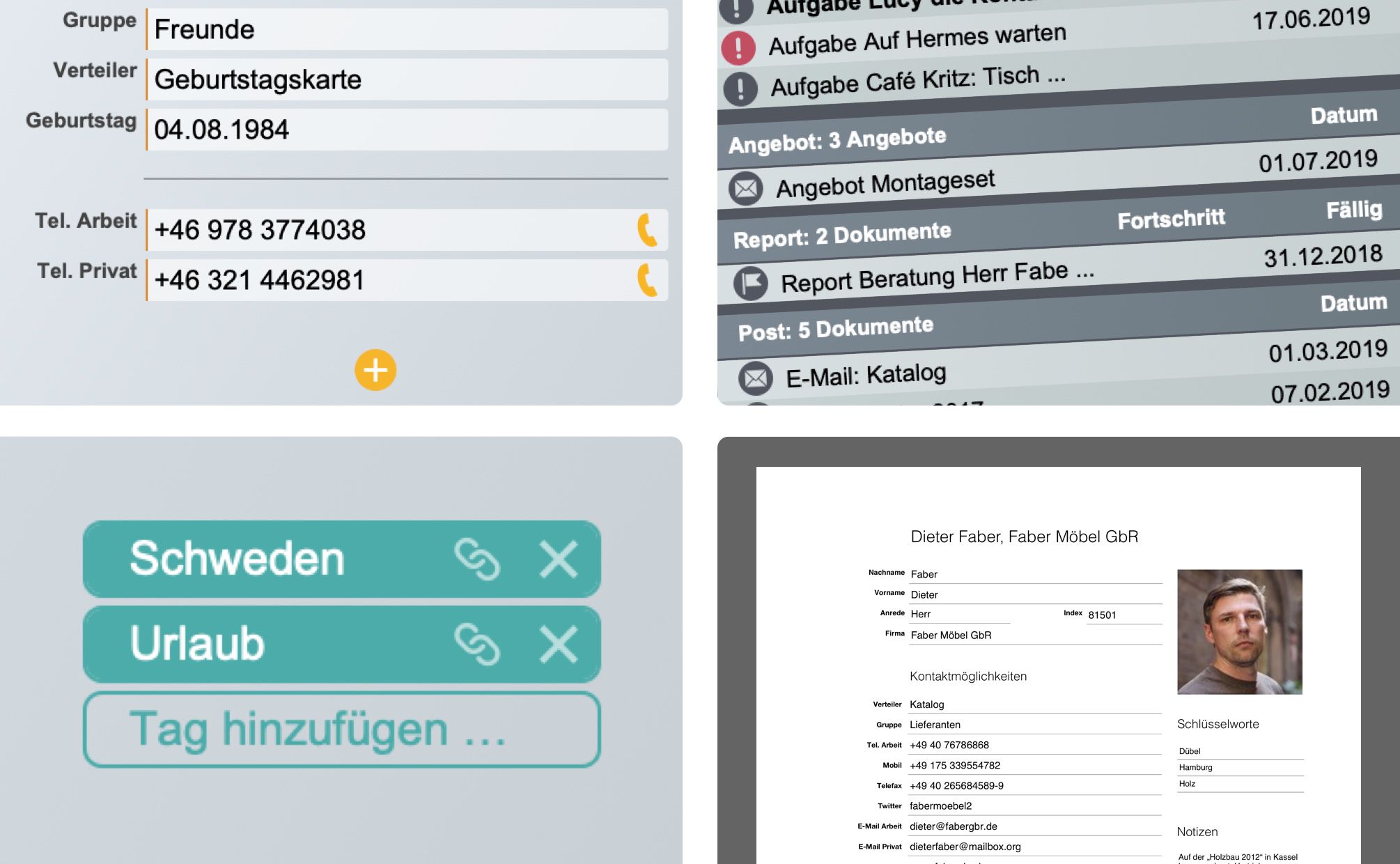
Initially, we only wanted to fix a few bugs and implement some good ideas, but it turned into almost a complete version upgrade: two new modules, flexible custom fields, GDPR compliance, new print templates, and much more.
Key New Features
-
New Quotation Module: You can now create quotations just as easily as invoices. Even better: If you win the bid, you can generate an invoice with a single click and transfer all the items from the quotation. (And of course, quotes can also be linked to existing invoices.)
-
New List module: A place for all your tasks and notes. You can structure your daily routine using the popular Getting Things Done (GTD) method and assign tasks to other people.
-
New start view: You now have the most important events in each module at a glance and can open them directly.
-
Dynamic fields: Did this bother you too? One card might only have a single phone number, while another record is bursting at the seams and some information has to be moved to the notes field. Now you can create exactly the fields you need in the Card and Tasks modules. Nothing more and nothing less. Depending on the content, icons are available to, for example, open a URL or create an email.
-
Multiple addresses: The same applies to addresses. You can now create multiple addresses and specify where mail should be sent, the invoices or deliveries should go through.
-
GDPR keyword: From now on, you can decide globally whether you want to comply with the new data protection regulations. For every person, every field, and every process, you can track whether consent has been given, who is responsible, and who has handled a data record.
-
Print, print, print: Print layouts are now available in all modules. Depending on whether you are in the editor or list view, individual forms or lists are printed. Of course, this also works with multiple data records.
-
Multiple selection: We can now fulfill this request as well. In list views, multiple data records can now be selected without having to filter beforehand.
-
Individual tax rates at the line item level: Different tax rates have always been possible, but now you can also create invoices that contain line items with different tax rates. You can define up to four different tax rates.
-
Separation of program, data, and layouts: We have "split" alfons, achieving several advantages. With FileMaker, you can now customize and modify all print layouts as needed – far beyond the Beyond previous possibilities. And those who want to share alfons with others via Dropbox will be pleased to know that only the essential parts need to be synchronized.
-
Tags: Tags have been further expanded and are now available in all modules. They can also be edited centrally in the preferences.
Various improvements have also been implemented.
-
The Mail module now supports external documents such as PDF files or, for example, scans of shipping labels.
-
File attachments are now stored centrally and encrypted in a dedicated folder.
-
Sending emails, including those with attachments and signatures, is now possible directly from alfons.
-
Letters and invoices can now also be addressed to individual recipients who have not yet been entered into the database.
-
Corresponding invoices can easily be created from reports (including linking).
-
No more mandatory indexing – records can now be created without linking them to a person (e.g., articles).
-
In the Help menu, under Maintenance, there is now an option to delete all records and perform a complete system cleanup. Reset allowed.
Not to be forgotten: Numerous details and optimizations
-
Start view: Long titles are now conveniently shortened depending on the window width.
-
General: Intelligent shortening of long file titles is now implemented.
-
Optimized: Text is copied and pasted without styles (keyword: Word).
-
By the way: The project folder is now called a report (more on that later...).